ZXing.Net.Maui 0.10.0: Decode Barcodes From Images and Export Barcode Images
Barcode scanning in a mobile app almost always means pointing a camera at something. That works great, but it is not the only scenario developers run into. What if your users want to pick an image from their gallery? Or what if you need to generate a QR code and save it as a file to share later?
ZXing.Net.Maui 0.10.0 adds two new APIs that cover exactly these cases: still-image barcode decoding and programmatic barcode image export. No camera required.
TL;DR #
- Decode barcodes from any image stream or file path with
BarcodeReader.DecodeAsync. - Generate barcode/QR code images and write them directly to a file or stream with
BarcodeGenerator.WriteToFileAsyncandWriteToStreamAsync. - Works on Android, iOS, macOS (Catalyst), and Windows.
- Install or update:
dotnet add package ZXing.Net.Maui.Controls --version 0.10.0
What Changed in 0.10.0 #
This release adds two headline features alongside a couple of bug fixes:
| Change | PR |
|---|---|
| Barcode image export API | #312 |
| Still-image stream barcode decoding | #313 |
| Fixed Android RGBA row stride handling | #311 |
| Fixed Apple camera preview orientation | #310 |
The first two are the stars of this post, but the fixes are worth mentioning too. If you have seen odd results with RGBA image data on Android, or a camera preview that did not quite line up correctly on Apple platforms, those areas got some attention in this release as well.
The full release notes are on GitHub.
Decode Barcodes From Images and Streams #
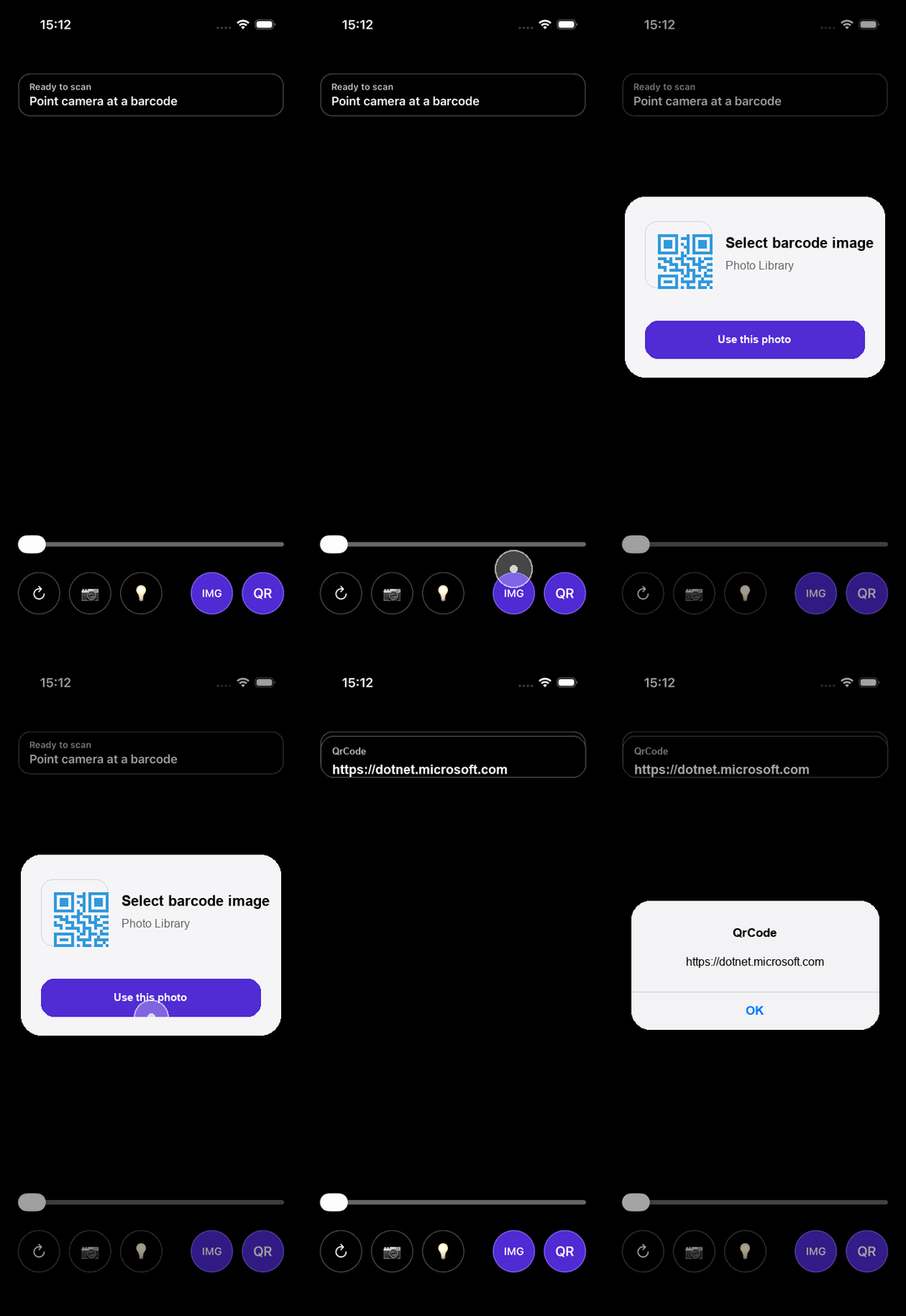
Until now, reading a barcode meant the camera had to be involved. With 0.10.0 you can decode barcodes from any image that you can get into a Stream or access via a file path. Think: a photo from the gallery, a downloaded image, or a screenshot.
The API reuses the same BarcodeReaderOptions you already know from the camera reader:
using ZXing.Net.Maui;

// For example, after the user picks an image with FilePicker
using var stream = await fileResult.OpenReadAsync();

var results = await BarcodeReader.DecodeAsync(
    stream,
    new BarcodeReaderOptions
    {
        Formats = BarcodeFormats.All,
        AutoRotate = true,
        TryHarder = true,
        Multiple = true
    });

if (results?.Any() == true)
{
    foreach (var result in results)
    {
        Console.WriteLine($"Found: {result.Format} - {result.Value}");
    }
}
If you already have a file path, there is an even more direct option:
var results = await BarcodeReader.DecodeFromFileAsync(
    "/path/to/barcode-image.png",
    new BarcodeReaderOptions { Formats = BarcodeFormats.QrCode });
EXIF orientation metadata is respected where the platform exposes it, so rotated photos should still decode correctly.
Export Generated Barcode Images #
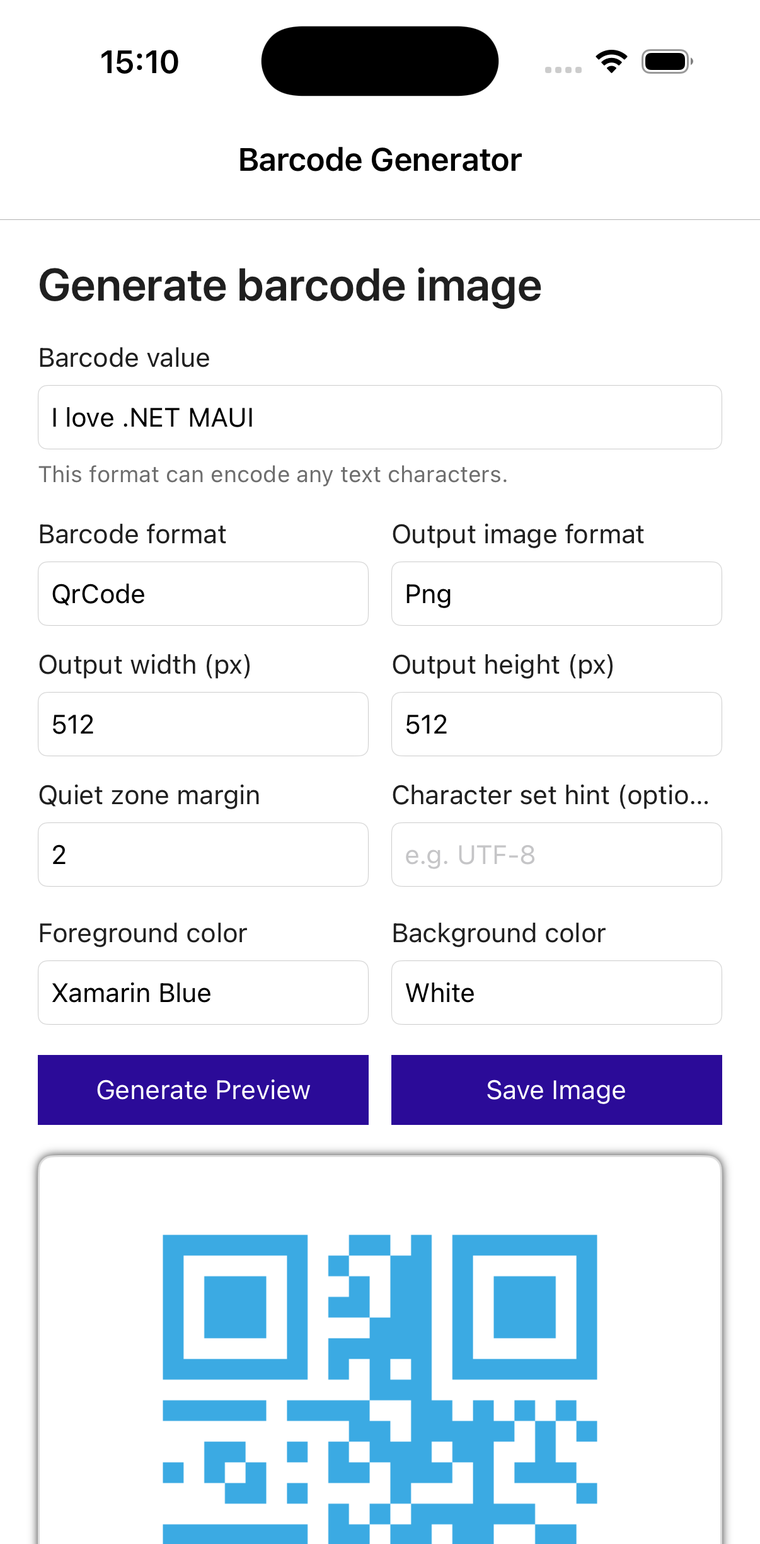
The existing BarcodeGeneratorView is great for showing a barcode in your UI. But sometimes you need the image itself: to save it, share it, or attach it somewhere. The new BarcodeGenerator class lets you do exactly that.
Write a barcode directly to a file:
var filePath = Path.Combine(FileSystem.AppDataDirectory, "barcode.png");

await BarcodeGenerator.WriteToFileAsync(
    "https://dotnet.microsoft.com",
    filePath,
    new BarcodeGeneratorOptions
    {
        Format = BarcodeFormat.QrCode,
        Width = 512,
        Height = 512,
        Margin = 2,
        ForegroundColor = Colors.DarkBlue,
        BackgroundColor = Colors.White
    });
Or write to an existing stream if you need more control over where the data goes:
using var memoryStream = new MemoryStream();

await BarcodeGenerator.WriteToStreamAsync(
    "My barcode content",
    memoryStream,
    new BarcodeImageOptions
    {
        Format = BarcodeFormat.Code128,
        Width = 400,
        Height = 150
    });

// memoryStream now contains the PNG image bytes
If you need the platform-native image type (for example, to pass to another API), BarcodeGenerator.GenerateAsync returns a Bitmap on Android, UIImage on iOS/macOS, or WriteableBitmap on Windows.
Platform Support and Practical Notes #
Both new APIs are supported on Android, iOS, macOS (Catalyst), and Windows. They rely on platform-specific image encoders and decoders under the hood.
If you try to call these APIs from a plain net10.0 target (without a platform), you will get a PlatformNotSupportedException. That is expected because there is no platform image codec available in that context. As long as your code runs on one of the supported platforms, you are good to go.
One more thing worth noting: initializing ZXing.Net.Maui in your MauiProgram.cs is still required. Make sure you have the using ZXing.Net.Maui.Controls; directive and call .UseBarcodeReader() on your builder, just like before.
Install or Update #
If you are already using ZXing.Net.Maui, update to 0.10.0:
dotnet add package ZXing.Net.Maui.Controls --version 0.10.0
If this is your first time, the ZXing.Net.Maui README walks you through the full setup.
Wrapping Up #
Working with barcodes no longer has to mean pointing a camera. Pick an image, decode it. Generate a barcode, save it. These are simple scenarios that now have simple APIs.
Go grab 0.10.0 and try it out. If you run into issues, have feature requests, or know about another barcode scenario that still needs work, please let us know in the GitHub repo. That helps us figure out what to improve next.
Happy coding!